Security Suite · Field Operations
Give Guards a Clear Way to Raise an Emergency Alert
When a guard faces an emergency, reporting the situation should be straightforward. AVES provides SOS and panic alert functionality to help security teams raise alerts and notify the appropriate team through the platform.
The problem with phone calls and messages
A guard dealing with a difficult situation may have to find a contact, make a call or send a message. Supervisors may not receive the information in a consistent format, and later reviews can be difficult if the alert and its response are not recorded together.
How AVES supports emergency reporting
Provide an SOS function for guards to raise an alert.
Support panic-button functionality.
Use the platform’s notification capabilities to inform the relevant team.
Record alert information and available location details.
Help supervisors review alert status and follow up on reported emergencies.
SOS & Panic Alerts in the product
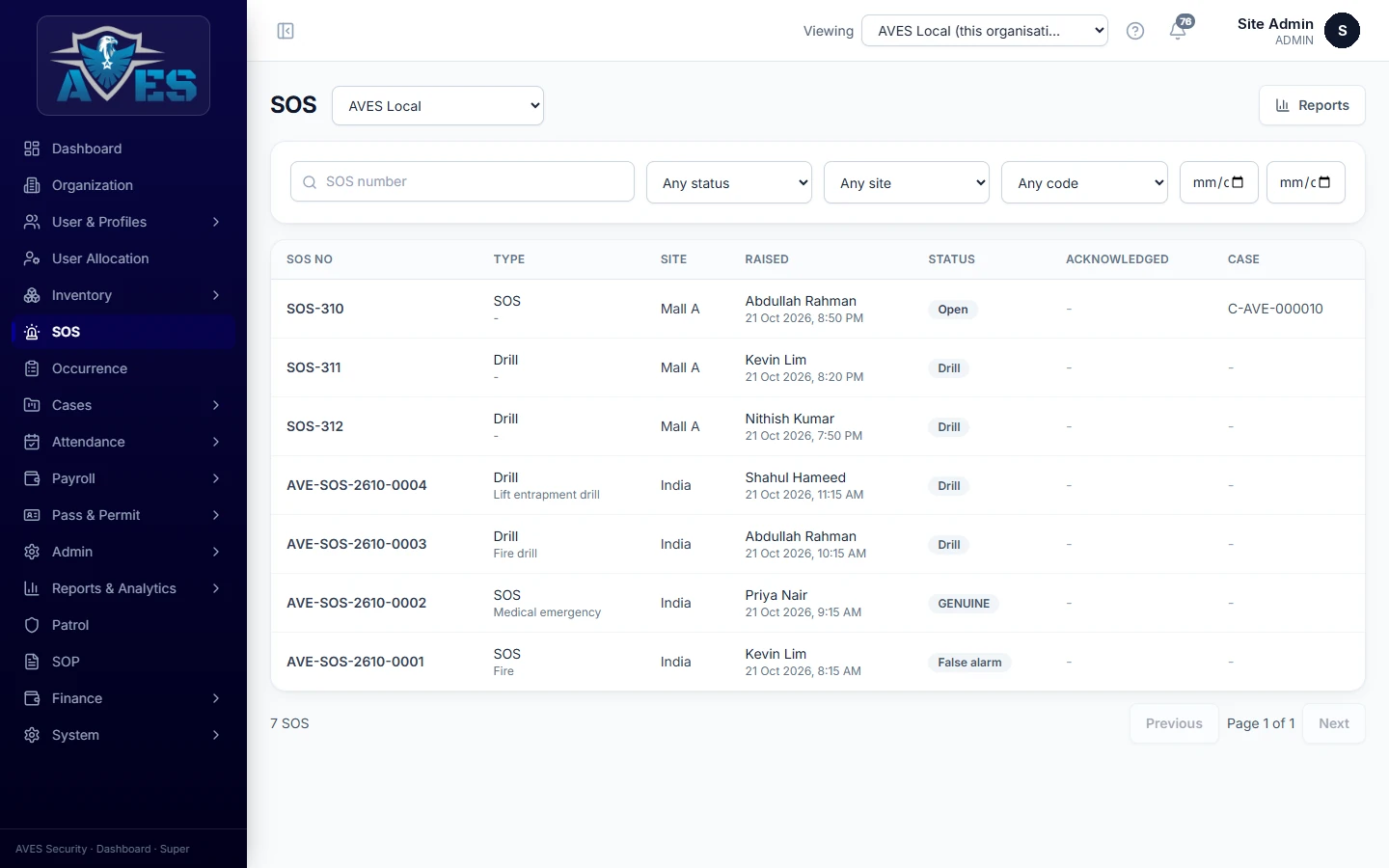
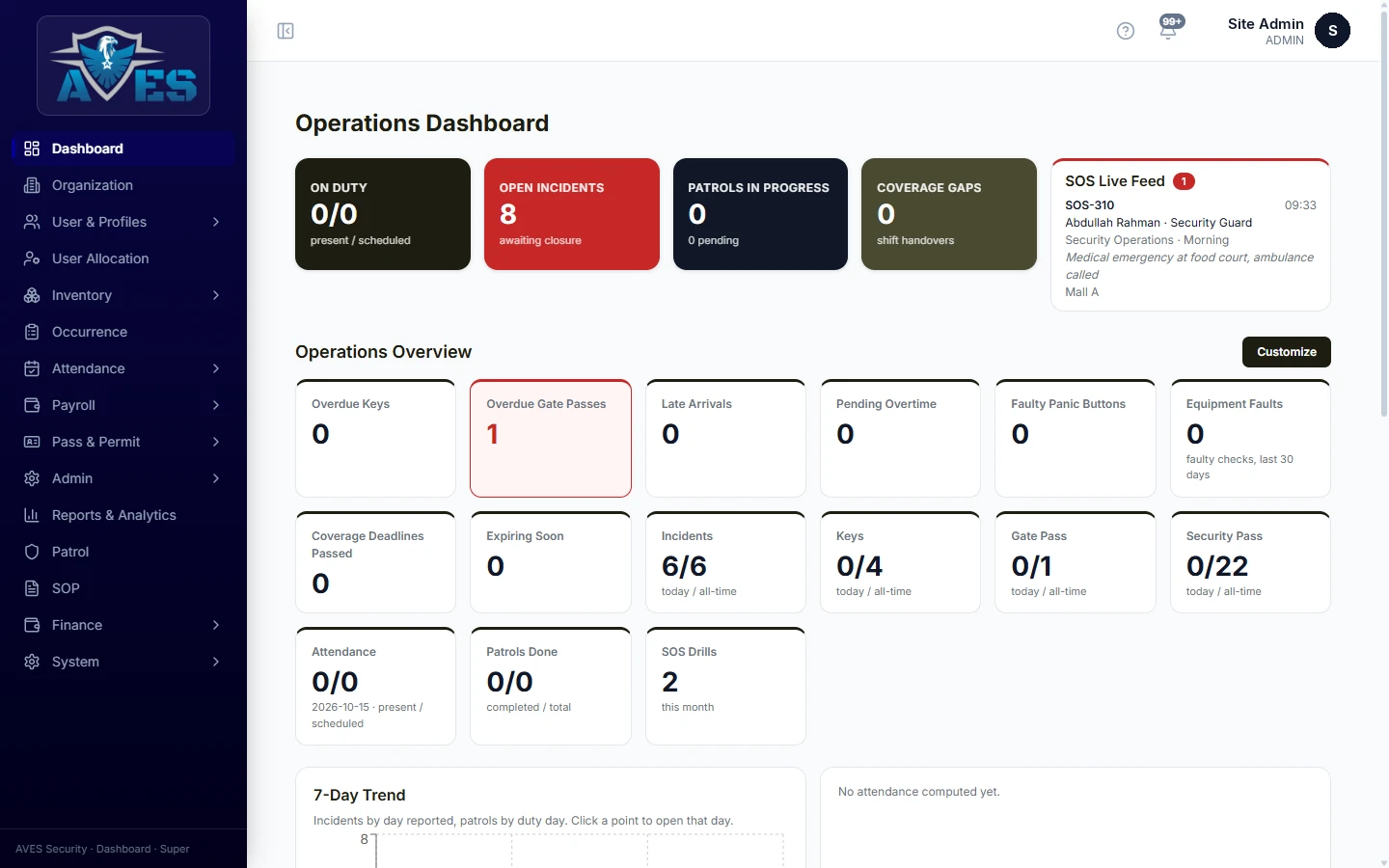
One platform for every role
On the guard app
The guard uses the available SOS or panic function to raise an alert.
For supervisors
Notifications and team workflows help the responsible staff receive and review the alert.
For managers
Emergency records can be reviewed alongside other security operations and incident records.
AVES provides tools for reporting and coordinating security emergencies. It works alongside your organisation’s emergency procedures and local emergency services — it does not replace them.
Where this service can help
SOS and panic functionality can support teams working in environments where fast, consistent alerting matters.
Related services
Frequently asked questions
What is the difference between SOS and a panic button?
+
Both are ways for a guard to raise an alert. We demonstrate exactly how each option behaves in the AVES app during a demo.
Who receives an alert?
+
Alerts reach the relevant team based on your configured notification and team workflow.
Can an alert include location information?
+
AVES includes location capabilities, and available location details are recorded with alerts. We’ll show you exactly what is displayed in a demo.
Can supervisors review an alert?
+
Yes. The platform supports emergency notification workflows, and supervisors can review alert records and status.
Does this replace emergency services?
+
No. It is a security operations tool and should be used alongside your organisation’s emergency procedures.
Book a demo
Explore how AVES SOS and panic functionality can fit into your team’s emergency reporting process.